Habit & goal tracking for Obsidian

Grow your goals
inside your vault.

Plant a tree for what you’re working toward. Water it with recurring habits, track milestones, and turn the notes you already keep into a progress dashboard.

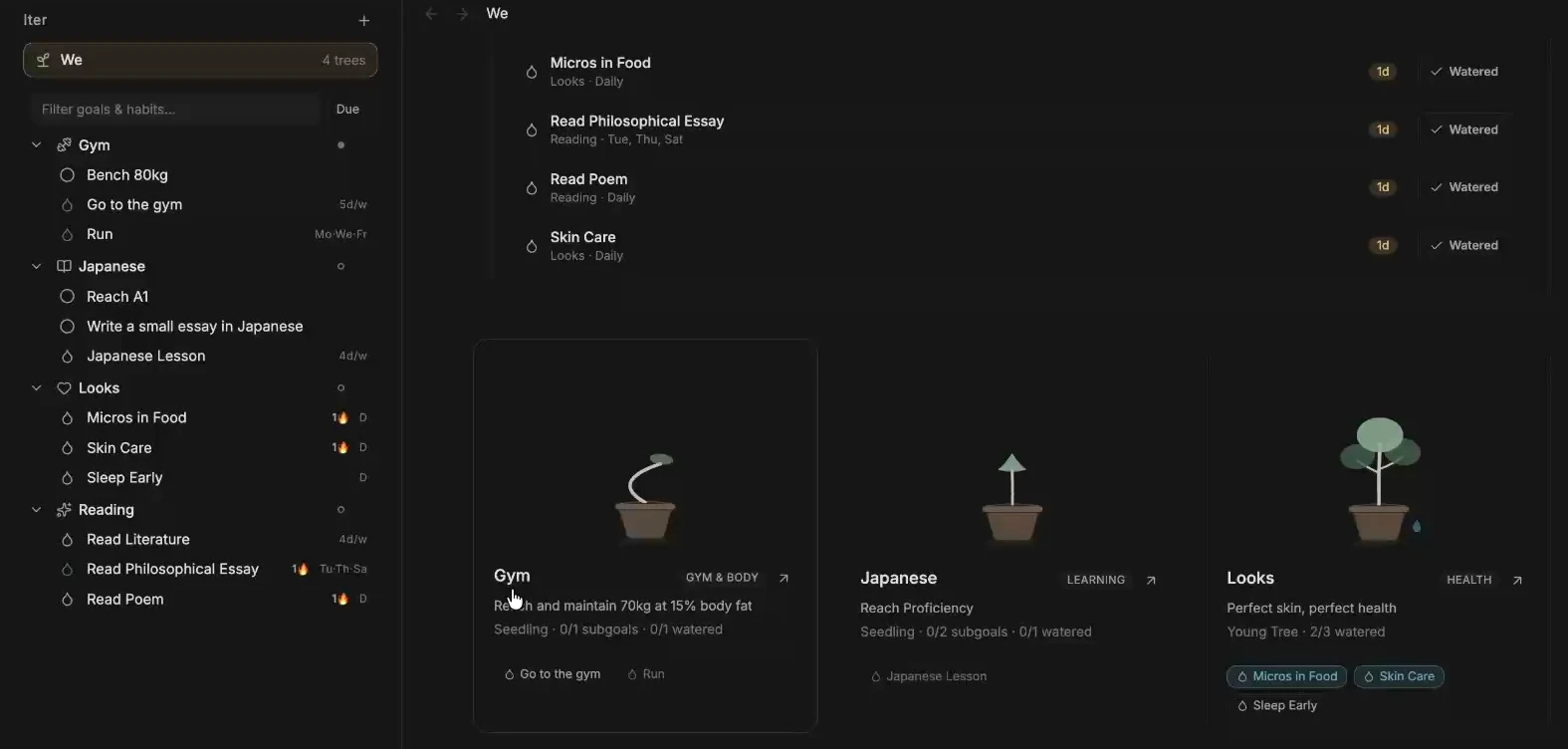
The Iter sidebar, watering queue, and three goal trees in the We Garden
We Garden and the Iter sidebar in Obsidian

Install Iter

Requires Obsidian 1.14.5 or later. Install it separately in each vault where you want to use it.

View Iter in the Community directory

Install from Community plugins

  1. In Obsidian, open Settings → Community plugins. Turn on community plugins if prompted.
  2. Select Browse, search for Iter, and open its listing.
  3. Select Install, then Enable.

You can also choose Add to Obsidian from the Community directory listing to open Iter in the app.

Manual installation
  1. Download main.js, manifest.json, and styles.css from the same release.
  2. Place them in .obsidian/plugins/iter/ inside your vault.
  3. Reload Obsidian and enable Iter under Community plugins.

Plant your first tree

A tree is an ongoing pursuit or a goal with a target date. A subgoal is a milestone. A habit is a recurring action.

  1. Run Iter: Create tree and name it Reading. Choose a target date or keep the tree ongoing.
  2. Run Iter: Create habit, select Reading, and add a daily Read 10 pages habit. You can also schedule specific weekdays or a weekly or monthly cadence.
  3. Run Iter: Create subgoal and add Finish a book. Mark it complete when you finish.
  4. Run Iter: Open We garden. Under Today’s Watering Queue, select Water after completing the habit.
The We Garden dashboard showing today’s scheduled habits and their Water buttons
Review and water the habits due today.

Build a dashboard from your notes

Collect reading notes and count pages

Open a Reading habit and choose Add data → Notes & Time. Link a reading note with a numeric pages property, or use automatic criteria to collect notes from a folder or tag.

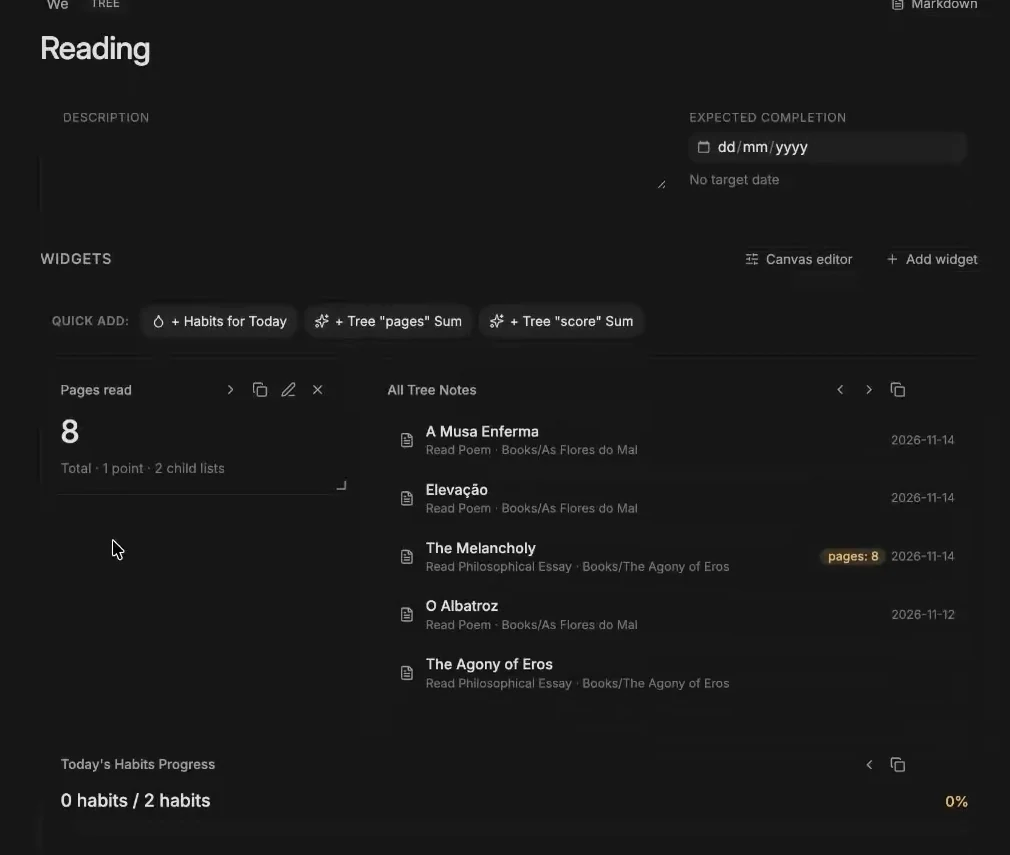
On the Reading tree, add a Child Rollup and select the matching datasets. Use a Metric Stat to sum pages and a Note Navigator to reopen linked notes.

Reading dashboard with pages read, linked book notes, and the day’s habit progress
A single view for pages, notes, and reading habits.

Chart a gym milestone

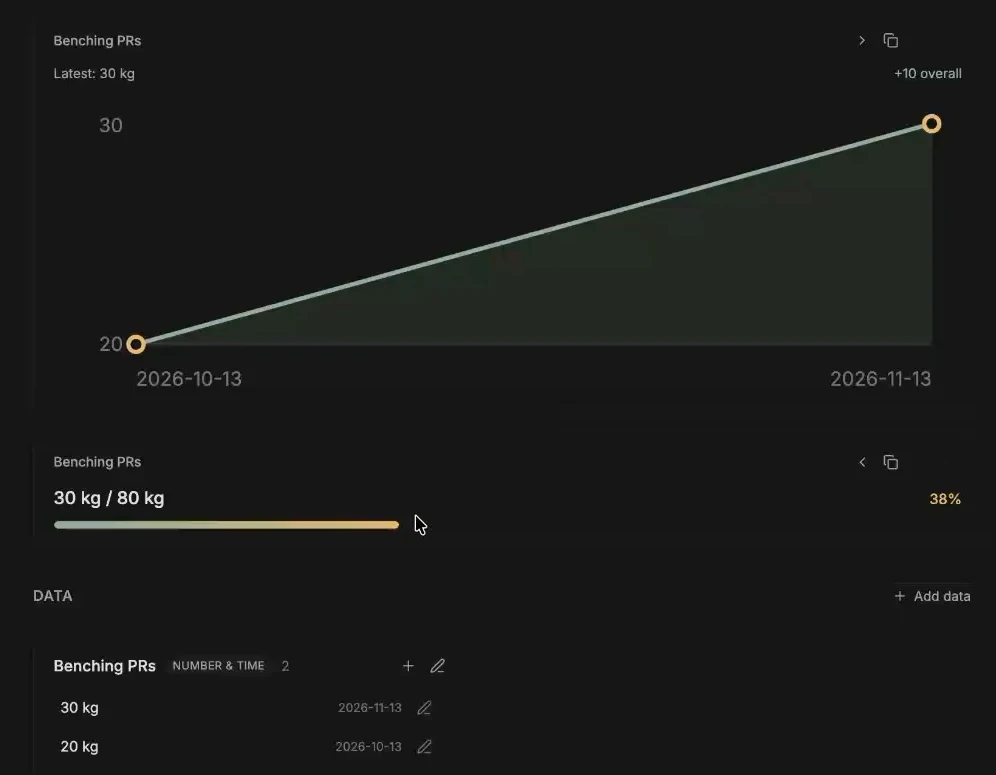
Under a Gym tree, create the Bench 80 kg subgoal. Add a Number & Time dataset for bench press records and log each weight with its date.

Add a Time Graph using that dataset. Add a Goal Comparison Bar with a target of 80 and aggregation set to Best / Max.

Bench press records plotted from 20 to 30 kilograms, above a progress bar toward 80 kilograms
One dataset powers the chart and the progress bar.

Build a custom widget in Canvas

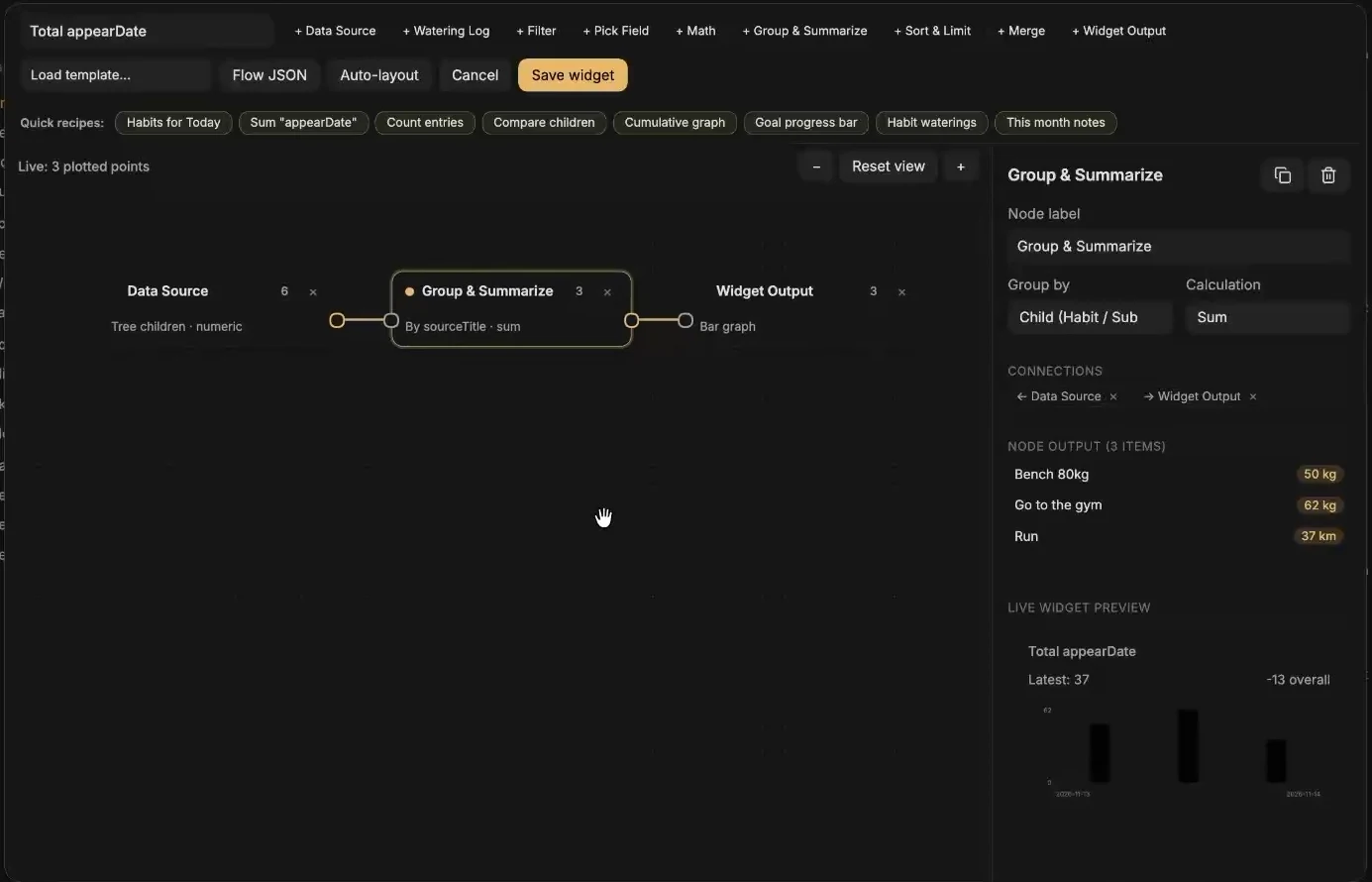
Open a goal or habit and choose Canvas editor. Start from a recipe such as This month notes, then adjust the data source and filters. You can also connect data, transformations, and a Widget Output yourself.

Watch the output preview as you change the nodes. Select Save widget to add it to the dashboard.

Iter’s Canvas widget editor with a data source connected to a summary and a widget output
Connect and preview a widget before saving it.

Workspace reference

Keep your goal data and source notes together in Obsidian.

Embed a live habit tracker

While editing a Markdown note, run Iter: Insert embedded widget or habit tracker into current note and choose a widget or Habits for Today. Switch to Reading view to use the embed. This example scopes today’s habits to the Reading tree.

```iter
view: today
tree: Reading
```

Work from the command palette

Iter: Open Iter panel
Find trees, subgoals, and habits in the sidebar.
Iter: Water a habit…
Mark a habit complete from anywhere in the vault.
Iter: Quick-log data entry to a goal or habit…
Add a number, text item, or new note to an existing dataset.
Iter: Link current note to a goal or habit…
Add the active Markdown note outside Iter/ to a notes dataset.

Back up your garden

Iter creates Iter/_index/We.md and one folder per tree. Goal descriptions are Markdown, and schedules, watering history, datasets, and widget definitions are stored in YAML frontmatter. Include Iter/ and any linked notes in your vault backup or sync setup.

Iter/
  _index/We.md
  Reading/
    _tree.md
    habits/Read 10 pages.md
    subgoals/Finish a book.md